About This Site
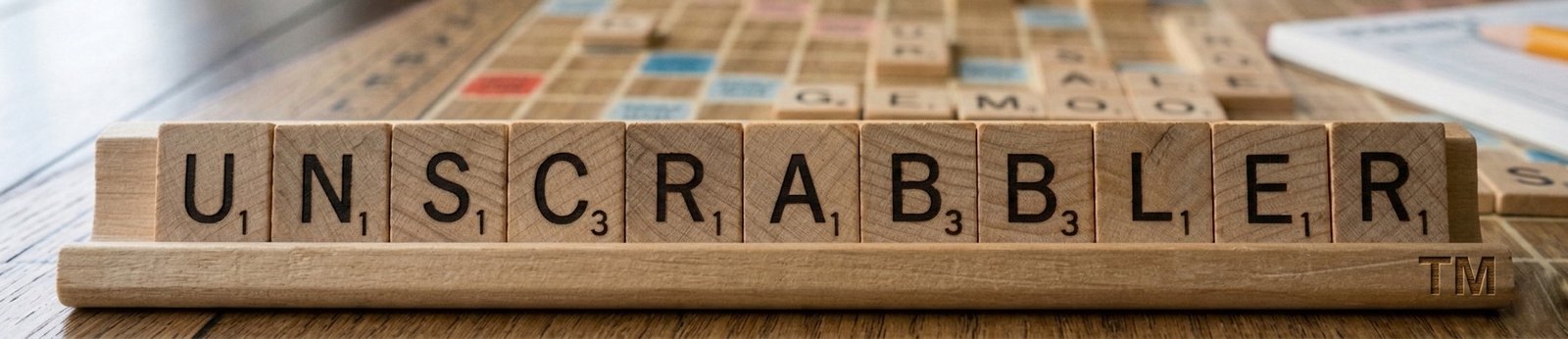
About Unscrabbler™
Your free, browser-based companion for discovering every possible Scrabble word from your letter tiles — complete with scores, definitions, and the strategy knowledge to play them well.
What Is Unscrabbler?
Unscrabbler is a free, browser-based word-finding tool built for Scrabble enthusiasts, vocabulary learners, and anyone who enjoys the challenge of working with letters. Enter up to 15 letter tiles from your rack, apply optional filters like starting letter, word length, or letters already on the board, and Unscrabbler instantly returns every valid word you can form — ranked by Scrabble score, alphabetically, or by length.
Unlike many word finders that feel clunky or ad-heavy, Unscrabbler was designed to be fast, clean, and genuinely useful. Every calculation happens entirely inside your browser using the Web Audio API — no data is ever sent to a server, and the tool works even on a slow connection once the dictionary has loaded.
Unscrabbler uses the ENABLE word list (Enhanced North American Benchmark Lexicon), a collection of 172,819 words that forms the standard reference for competitive English-language Scrabble in North America. If a word appears in Unscrabbler's results, it's a valid Scrabble play.
Important — fair play notice: Unscrabbler is designed for practice, vocabulary study, and solo exploration — not for use during a live game against another human player. Using any word-finding tool mid-game is unsportsmanlike and violates standard Scrabble rules and etiquette. Use Unscrabbler to learn, train, and improve — then put your skills to work on the board.
How to Use Unscrabbler
Getting results takes seconds. Here's the full workflow:
1
Choose Quick Start or Full Mode
If you're at the start of a game with 7 fresh tiles and no board context, click Yes on the Quick Start banner. This hides the filter fields and gets you results in one click. For mid-game plays where you need to account for board letters, starting/ending patterns, or a specific word length, click No to unlock all filters.
2
Enter your rack letters
Type up to 15 letters into the Your Letters field. You'll see live tile previews appear as you type, each showing the letter's Scrabble point value. Letters are automatically converted to uppercase and restricted to A–Z.
3
Add board letters (optional)
If your word will intersect with tiles already on the board, enter those letters in the Letters Already on the Board field. Unscrabbler will use them as free letters — they won't be subtracted from your rack — and highlights them in green in the results.
4
Apply filters as needed
Use Starts With, Ends With, Contains, and Word Length to narrow results to words that will actually fit your board position.
5
Hit Unscrabble It! and sort your results
Results appear sorted by top Scrabble score by default. Switch to A–Z, Longest, or Shortest at any time. Click ▾ Definition on any word to fetch its definition from the Free Dictionary API.
The Unscrabbler Scrabble Strategy Guide
Knowing every possible word from your tiles is the first step. Knowing which one to play — and where — is the game. Here's a complete strategy guide to help you get more from every rack.
Understanding Tile Values
Every letter in Scrabble carries a point value from 1 (common letters like E, A, I) to 10 (the rare Q and Z). Knowing these values cold helps you instantly estimate whether a play is worth making.
| Points |
Letters |
Count in bag |
| 1 pt |
AEIOULNSTR |
9, 12, 9, 8, 4, 4, 6, 4, 6, 6 |
| 2 pts |
DG |
4, 3 |
| 3 pts |
BCMP |
2, 2, 2, 2 |
| 4 pts |
FHVWY |
2, 2, 2, 2, 2 |
| 5 pts |
K |
1 |
| 8 pts |
JX |
1, 1 |
| 10 pts |
QZ |
1, 1 |
| 0 pts |
|
2 blanks — substitute any letter |
The Power of Two-Letter Words
Two-letter words are the backbone of strong Scrabble play. They let you play parallel to existing words, create multiple words in a single move, and squeeze plays into tight board positions that would otherwise be impossible. Memorizing the full two-letter word list is one of the single highest-value things a Scrabble player can do.
Some of the most useful and commonly overlooked two-letter words include: QI (the only Q word that doesn't need a U), ZA (slang for pizza, worth 11 points), XI and XU (both valid and great for unloading the X), AA and AE (handy vowel dumps), and OX, AX, EX (the X words that don't need special setup).
Chasing the Bingo — Using All Seven Tiles
A "bingo" in Scrabble means using all seven tiles in a single play, earning a 50-point bonus on top of the word's face value. Bingos can swing a game entirely. They're more achievable than beginners think if you manage your rack correctly.
The key is to keep a balanced rack — ideally 3–4 consonants and 3–4 vowels, with at least one or two of the high-frequency letters like S, R, E, A, T, I, N, L. Racks containing combinations like -ING, -TION, -ER, -ED, or -EST are primed for bingos because they attach to so many stems.
Common bingo-friendly 6-letter stems to build around include SATIRE, RETINA, TAILER, STRAIN, and SENIOR — add a seventh tile and run them through Unscrabbler to see every 7-letter word available.
Triple Word Score Strategy
The eight triple word score squares (the dark red corners and edge-center squares) are the most powerful positions on the board. A well-placed word across a triple word score with a high-value letter on a double letter score square can produce scores of 50–80 points from a single play. The strategic tension is this: playing to a triple word score also opens it for your opponent. Strong players calculate whether the word they place near a triple gives their opponent a hook to exploit it next turn.
Rack Management — Keeping Your Options Open
After every play, think about the six or seven tiles remaining on your new rack. A rack loaded with awkward consonants (try playing Q, V, and W simultaneously) or too many vowels limits your next turn severely. Good rack management means:
- Avoid holding duplicate letters. Two V's or two U's halve your flexibility without doubling your options. Dump one when you can.
- Keep the S for the right moment. There are only four S tiles in the game. Using one to pluralize a low-value word wastes it. Save S tiles for plays that score 20+ points or create a double-word opportunity.
- Don't hoard the blank. The blank tile is the most flexible tile in the game. It's tempting to hold it for the perfect bingo, but if you're sitting with a blank and a difficult rack, using it to make a solid 30-point play is often better than waiting.
- Exchange tiles when the rack is unsalvageable. Passing your turn to exchange is a legitimate strategic move. A rack of UUUVWIJ is worth sacrificing a turn to fix. You lose a turn's points but set yourself up for better plays ahead.
Playing Defense
Scrabble isn't only about maximizing your own score — it's about denying your opponent high-value positions. Defensive plays include:
- Avoiding plays that open triple word score lanes for your opponent
- Blocking "hot spots" — open squares adjacent to premium squares — when you don't have a great scoring play yourself
- Tracking which high-value tiles (J, Q, X, Z, both blanks) have been played, so you know how much premium-square risk remains
The best players balance offense and defense constantly, choosing plays that score well while leaving the board in a controlled state.
Using Unscrabbler for Practice
The most effective way to use Unscrabbler for improvement is not just to find words you missed — it's to study why those words work. After a practice game, enter your rack letters and look at the top-scoring words you didn't play. Ask yourself: would I recognize that word under time pressure? Could I have spotted that board position? Over time, this review habit builds genuine pattern recognition that carries into real games.
About the ENABLE Word List
Unscrabbler validates words against the ENABLE (Enhanced North American Benchmark Lexicon) word list, which contains 172,819 words and is the standard reference used in competitive North American Scrabble. It was originally compiled by the Free Software Foundation and has been widely used as a fair, comprehensive, and publicly available English word reference.
It's worth noting that official tournament Scrabble uses the Official Scrabble Players Dictionary (OSPD) or the Tournament Word List (TWL) maintained by the North American Scrabble Players Association (NASPA). These lists differ from ENABLE in some entries. Unscrabbler's results reflect the ENABLE list and may occasionally include or exclude words that differ in official tournament play. Always verify a word against the official tournament reference if you're playing competitively.
Word definitions shown in Unscrabbler are fetched live from the Free Dictionary API, an open-source dictionary project. Not every ENABLE word has a definition in that API — some highly specialized, archaic, or technical words may show "definition not found." The absence of a definition does not mean the word is invalid for Scrabble purposes.